The prompt
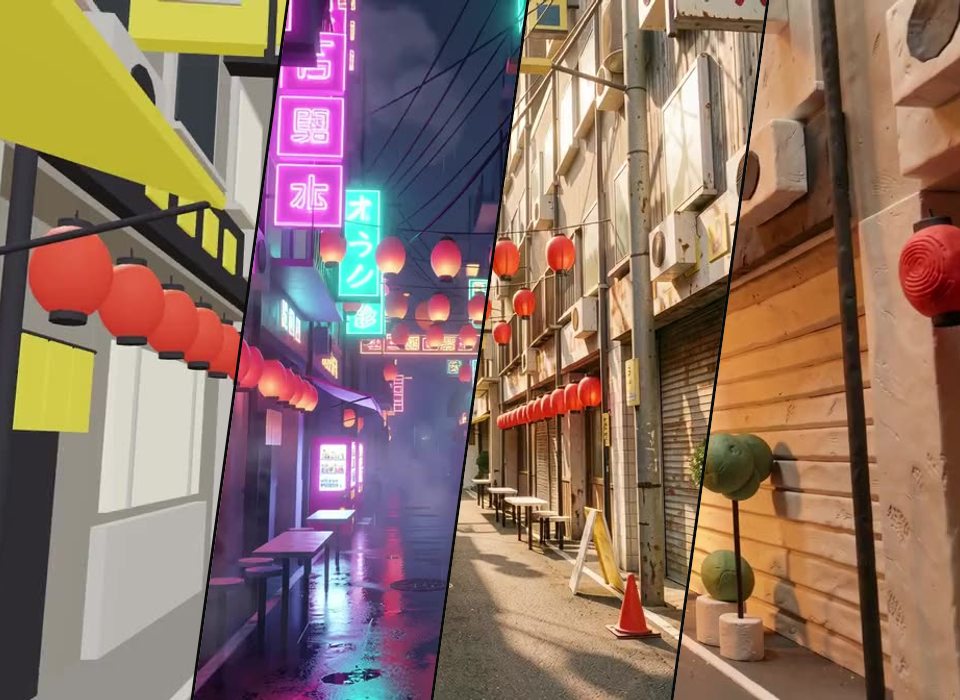
“A five second animatic of a slow walk down a narrow Japanese backstreet, blocked out in plain grey shapes: shopfronts set back under the floors above, signs hanging over the lane, strings of lanterns, utility poles and their wires, a gate across the street and a tower block at the far end, with the camera panning from one side to the other as it goes”
Ask Perlin, the VYBE.ART creative agent, for something like this and it builds a piece like it. Start from this prompt and change any part of it: the look, the mood, the rules, the sound.
Start from this promptHow it’s made
Backstreet is an animatic for Perlin Paint. It is JavaScript on three.js, the WebGL library behind most 3D on the web, and it runs live in your browser: nothing to download or install. It is plain on purpose: Perlin Paint reads its shapes and paints over them, so the description decides what everything is made of.
Make it yours
- Open it in the studio, where it plays with its controls, and its code is a click away.
- Tell Perlin what to change in a sentence: a colour, a mood, a new rule, a sound.
- Bend it with its sliders, or put it on a timeline and render it to video.
- Publish it to the community, share its link or embed it on your site.
New to the studio? Make your first piece