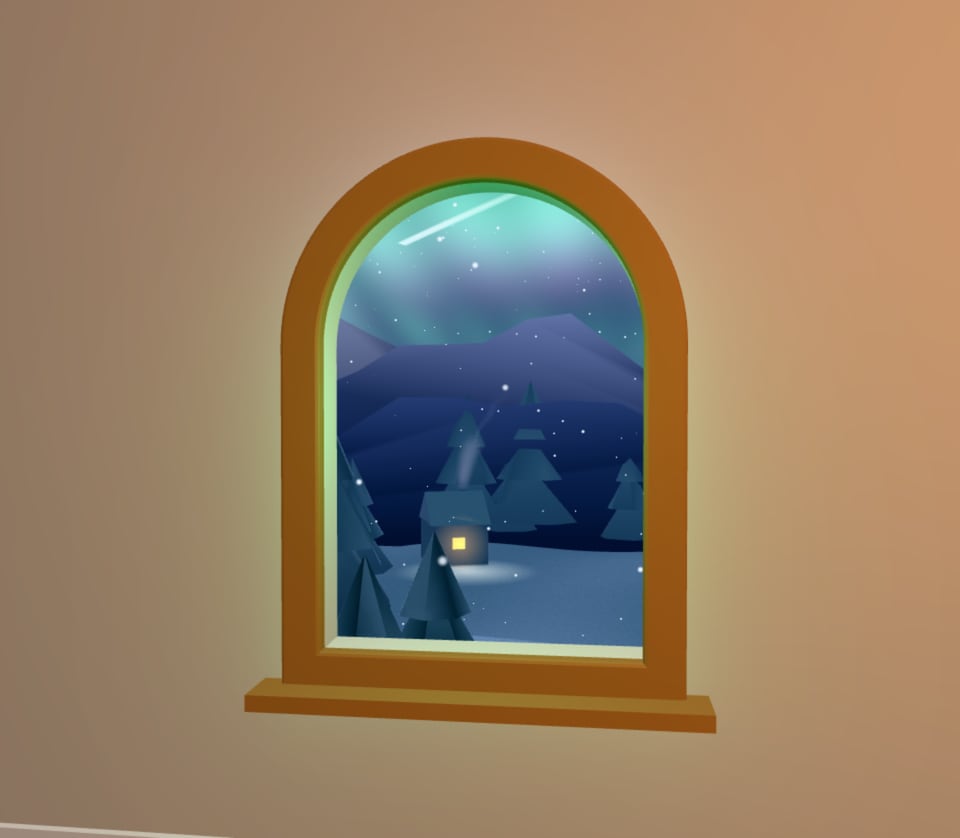
The prompt
“An AR window in my wall: an arched wooden window that opens onto a snowy pine valley at night under the northern lights, with shooting stars, a lit cabin with smoke rising across the valley and mountains, snow drifting in through it and the lights glowing on the wall round it, and I point at another wall and pull the trigger to move it there”
Ask Perlin, the VYBE.ART creative agent, for something like this and it builds a piece like it. Start from this prompt and change any part of it: the look, the mood, the rules, the sound.
Start from this promptHow it’s made
Wall Window is an AR piece. It is JavaScript on three.js, the WebGL library behind most 3D on the web, and it runs live in your browser: nothing to download or install. Its soundtrack is composed alongside the visuals; click it for sound.
On a headset or an Android phone it offers Enter AR. Everywhere else it plays on the screen. How VR and AR pieces work
Make it yours
- Open it in the studio, where it plays with its controls, and its code is a click away.
- Tell Perlin what to change in a sentence: a colour, a mood, a new rule, a sound.
- Bend it with its sliders, or put it on a timeline and render it to video.
- Publish it to the community, share its link or embed it on your site.
New to the studio? Make your first piece